
DM Cleaner – Bulk Delete Instagram Messages
10,000+ Chrome usersClean up an Instagram conversation without removing every message one by one. DM Cleaner scans the chat open in your active Chrome tab, finds the messages sent by your account, and helps you bulk unsend selected Instagram DMs from a convenient side panel.
 View on the Chrome Web Store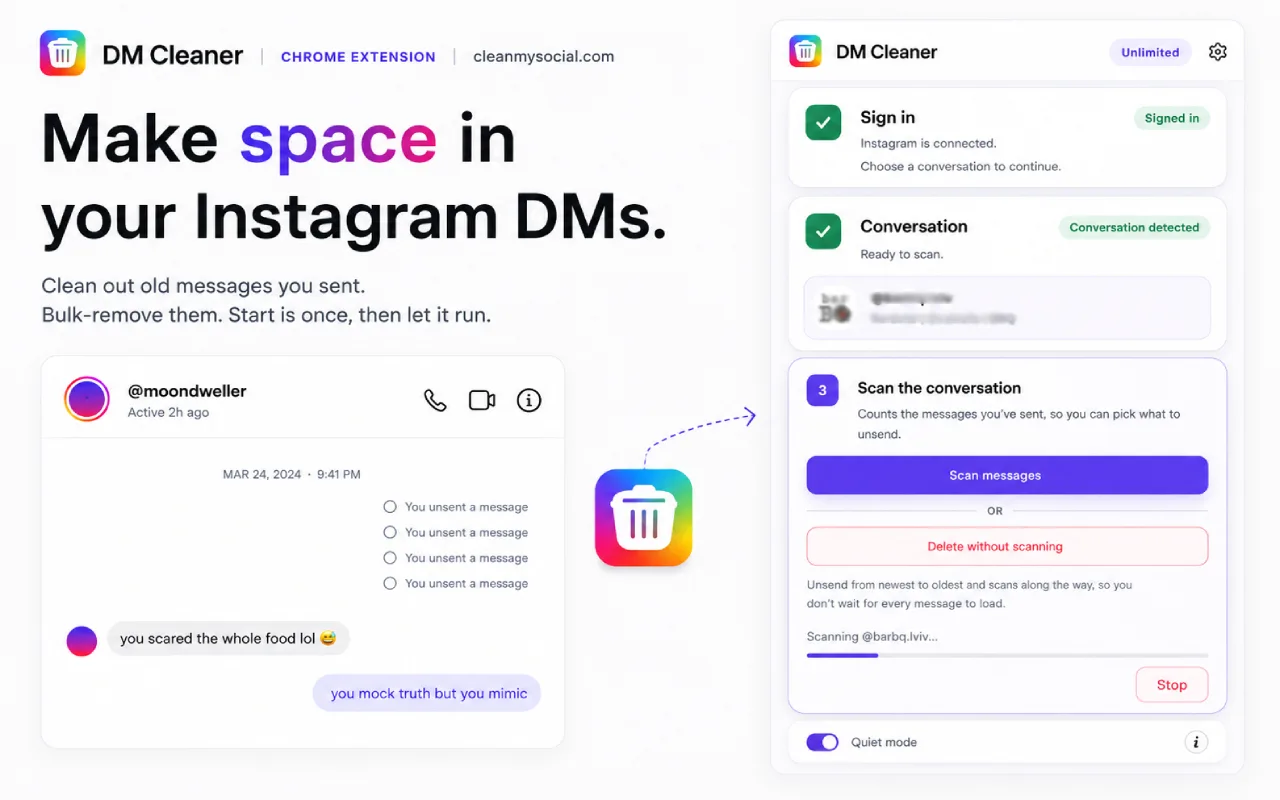
What DM Cleaner can remove
- Bulk unsend multiple Instagram messages from one conversation
- Scan the full open chat and count the messages your account sent
- Delete everything, messages older than 1 month, 6 months, or 1 year, or use a custom date range
- Stealth mode processes older messages before newer ones
- Careful pacing with automatic slowdown when Instagram limits actions, plus a stop control
- Keep Instagram and DM Cleaner visible side by side, with clear scan and deletion progress
- Your message content and Instagram account details stay in the browser
How to bulk-unsend Instagram messages
- Install DM Cleaner and sign in to Instagram in Chrome.
- Open the exact DM conversation you want to clean.
- Open DM Cleaner from the extension icon.
- Scan the conversation and choose which messages to remove.
- Confirm and let DM Cleaner unsend them individually.
Important Instagram and deletion limits
- DM Cleaner can unsend only messages sent by your own Instagram account.
- A successfully unsent message is removed for everyone and cannot be restored by the extension.
- Instagram processes messages individually and may temporarily rate-limit repeated actions, so large cleanups take time.
- Instagram interface or private API changes can temporarily interrupt scanning or unsending.
- Keep the correct Instagram conversation open while cleaning.
Instagram DM Cleaner FAQ
Can I try DM Cleaner before upgrading?
Yes. DM Cleaner includes generous daily use so you can try the complete cleanup workflow first. The unlimited option is a one-time purchase with lifetime access for the commercial lifetime of the product, subject to the Terms of Service.
Does CleanMySocial receive my Instagram messages?
No. Scanning and unsending use your existing browser session. Message text, conversation details, cookies, and Instagram account information are not sent to CleanMySocial.
Can it delete messages sent by someone else?
No. Instagram allows your account to unsend only messages that your own account sent.
Can I restore access on another browser?
Yes. Paste the license key emailed after payment into the extension's Restore field.
Plan the cleanup before you start
More from CleanMySocial



Payments are processed by Creem, our Merchant of Record. Taxes may be added at checkout where required. Read our Refund Policy and Terms of Service, or contact support.
CleanMySocial is built and supported by Vladyslav Verbytskyi, the developer you reach when you write in.