
Delete All Messages for Facebook & Instagram
7,000+ Chrome usersBulk delete, archive, or restore Facebook Messenger conversations, then scan an Instagram conversation and unsend messages sent by your account.
 View on the Chrome Web Store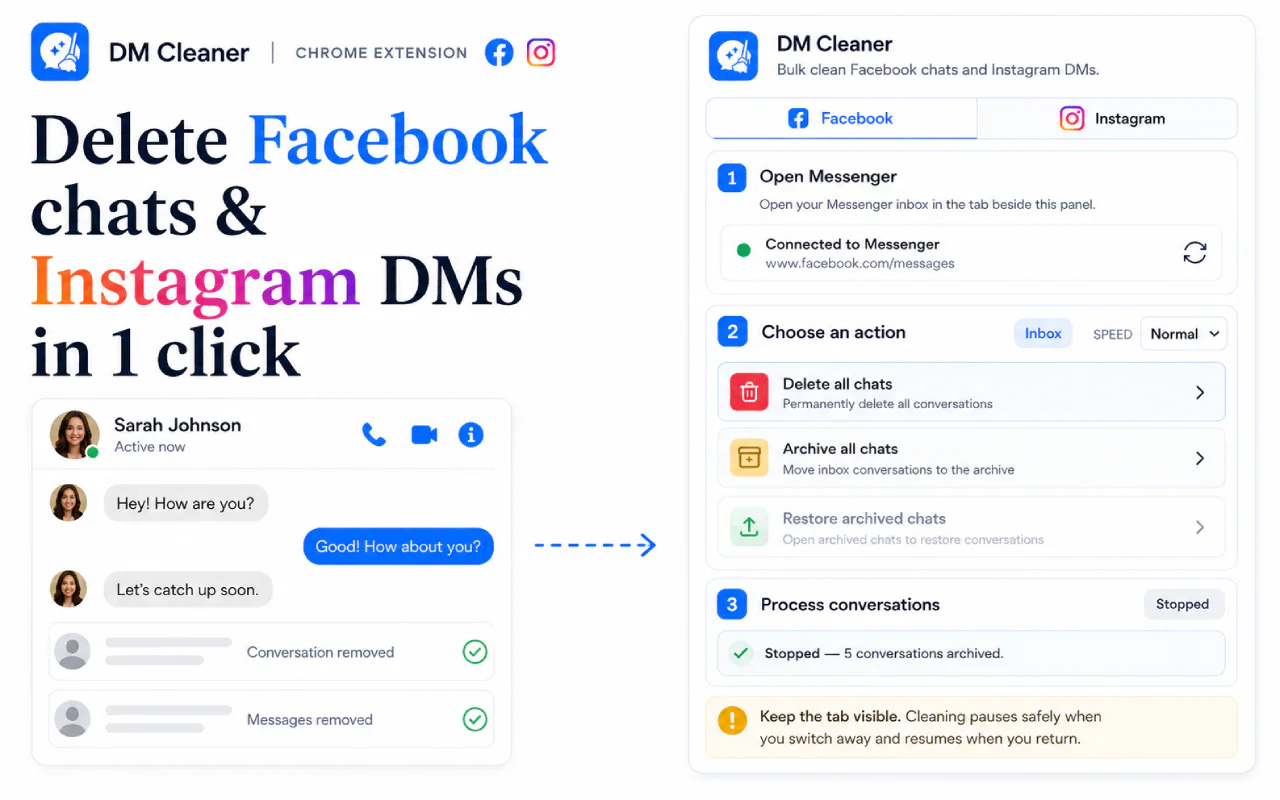
What you can clean
- Bulk delete Facebook Messenger conversations, archive them, or restore archived chats
- Scan an Instagram conversation and bulk unsend the messages you sent
- Filter Instagram messages by age or a custom date range
- Stealth mode works through older Instagram messages first
- Live scanning and cleanup progress, and a stop control for an active batch
- Runs in Chrome's side panel beside the Facebook or Instagram tab you are using
How a cleanup run works
- Open Facebook Messenger, or the Instagram conversation you want to clean, in Chrome.
- Open the side panel from the extension icon. It sits next to the conversation rather than replacing it.
- Pick the action and review exactly what it will affect before anything runs.
- Confirm the batch and watch its progress. You can stop it safely part-way through.
What it cannot delete
- Deleting a Messenger conversation removes your copy; it does not erase the other participant's copy.
- Instagram unsend applies only to messages your own account sent — you cannot unsend the other person's messages.
- Deleted conversations and successfully unsent messages may not be recoverable, so review the selection before confirming.
- Facebook and Instagram interface changes can temporarily affect browser automation.
Facebook and Instagram message deletion FAQ
Can I use Delete All Messages for Facebook & Instagram for free?
Yes. The free plan includes 10 cleanup actions per day. A lifetime upgrade removes the daily limit.
Does CleanMySocial receive my messages?
No. The extension performs the requested actions inside your signed-in browser session; CleanMySocial does not receive or store message content.
Can it remove Messenger messages from both people?
Deleting a conversation removes your copy only. On Instagram, the extension can unsend messages that were sent by your own account.
Is this affiliated with Meta?
No. CleanMySocial is an independent product and is not affiliated with or endorsed by Meta, Facebook, Instagram, Google, or Chrome.
More from CleanMySocial



Payments are processed by Creem, our Merchant of Record. Taxes may be added at checkout where required. Read our Refund Policy and Terms of Service, or contact support.
CleanMySocial is built and supported by Vladyslav Verbytskyi, the developer you reach when you write in.