
Messenger Cleaner – Delete All Facebook Messages
748+ Chrome usersClean up your Facebook Messenger inbox from a persistent Chrome side panel instead of handling conversations one at a time.
 View on the Chrome Web Store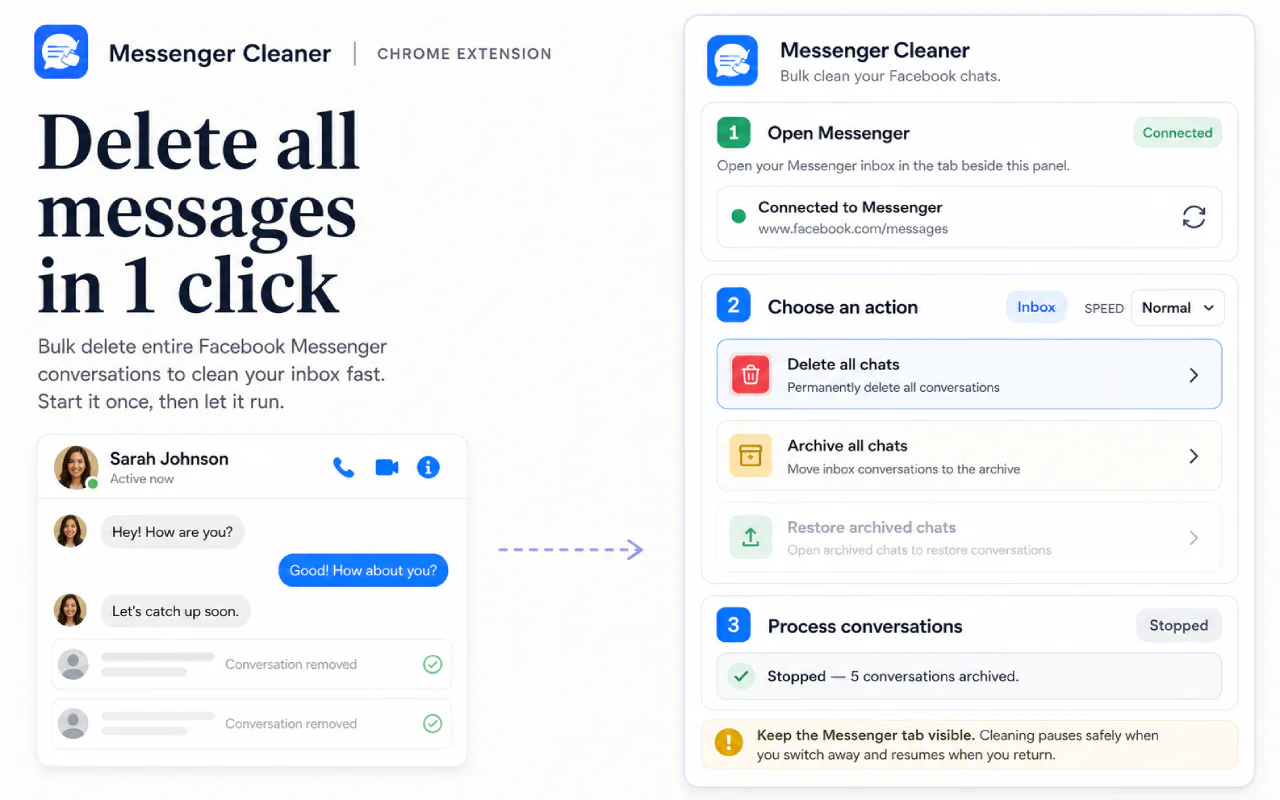
What you can clean
- Bulk delete Messenger conversations, archive several chats at once, or restore them from Archived
- A side panel that stays with you as you move around Messenger
- Live progress, a stop control, and a counter for the day's free actions
- Several processing speeds, so you can trade pace against caution
- Pauses safely on its own if the Messenger tab stops being visible
- Understands the common Facebook interface languages, not only English
How a cleanup run works
- Open Facebook Messenger in Chrome and open the extension side panel.
- Choose the conversations, then the action: delete, archive, or restore.
- Confirm. Deletion always asks explicitly, because it can be permanent.
- Keep the Messenger tab visible while it runs. Cleanup pauses if you switch away and picks up when you return.
What deleting a conversation does not do
- Deleting removes the conversation from your account, not from the other participant's account.
- Deleting a conversation can be permanent, which is why the extension asks you to confirm first.
- The Messenger tab has to stay visible for a run to keep going.
- Facebook interface changes can temporarily interrupt automated actions.
Messenger cleanup FAQ
Can I use Messenger Cleaner for free?
Yes. The free plan includes 10 successful delete or archive actions per day, and restoring archived chats is always free. The lifetime upgrade removes the daily limit.
Does Messenger Cleaner upload my conversations?
No. Conversation cleanup runs in your browser and message contents are not sent to CleanMySocial.
Can I archive instead of delete?
Yes. The extension supports bulk archive as well as delete and restore actions.
Is this a lifetime purchase?
The currently listed Messenger Cleaner plan is a one-time purchase with lifetime access for the commercial lifetime of the product, subject to the Terms of Service.
Plan the cleanup before you start
More from CleanMySocial



Payments are processed by Creem, our Merchant of Record. Taxes may be added at checkout where required. Read our Refund Policy and Terms of Service, or contact support.
CleanMySocial is built and supported by Vladyslav Verbytskyi, the developer you reach when you write in.